
Sprint Retrospective
Last updated on 2026-06-05 | Edit this page
Estimated time: 10 minutes
Overview
Questions
- How do we conduct Sprint Retrospective meetings?
- What does this meeting achieve for the team and the Scrum process?
Objectives
- Demonstrate how positive and negative retrospective feedback can be used to improve the Scrum process.
- Learn how to review previous action items and create actionable plans for continuous improvement.
Introduction
A recap from the Agile Fundamentals course, where you learned in the Sprint Retrospective chapter that:
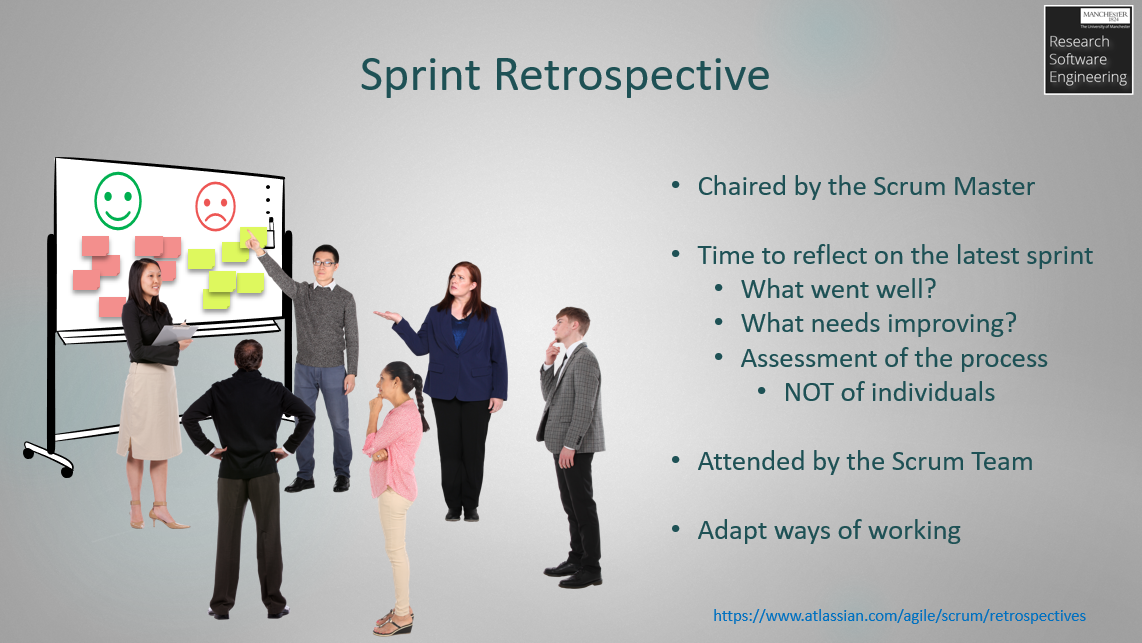
Sprint retrospectives are regular meetings that take place at the end of every sprint.
Their purpose is to help the team reflect, learn, and continuously improve.
They are often chaired by the Scrum Master, but can also be organised by the Development Team. They should provide a safe space for the Development Team to reflect on the most recent sprint by considering:
What went well?
What didn’t go well?
What changes can we make? (Actions)
To encourage open and honest feedback, a degree of anonymity can be introduced. If physical post-it notes have not been provided by the organisers, you can use IdeaBoardz for this purpose.
Instructions for the Scrum Master:
Please go to IdeaBoardz, click on “Create My Own IdeaBoard,” select “Retrospective,” and share the generated link with your team.
Note: It should be an assessment of the process and NOT of individuals. The output should be agreed recommendations to improve ways of working and could even result in related Tasks being added to the next Sprint.
Sprint Velocity and Insights
During Sprint Retrospective or stand-up / check-in meetings, the Scrum Master may wish to discuss various quantitative Scrum metrics. GitHub Projects provides an “insights” page accessed via the project which can be used to create custom charts to quantify burn-up and sprint velocity. This can be useful to provide an indication to the Development Team how much work they are able to complete in a given sprint and whether their estimation process is valid.
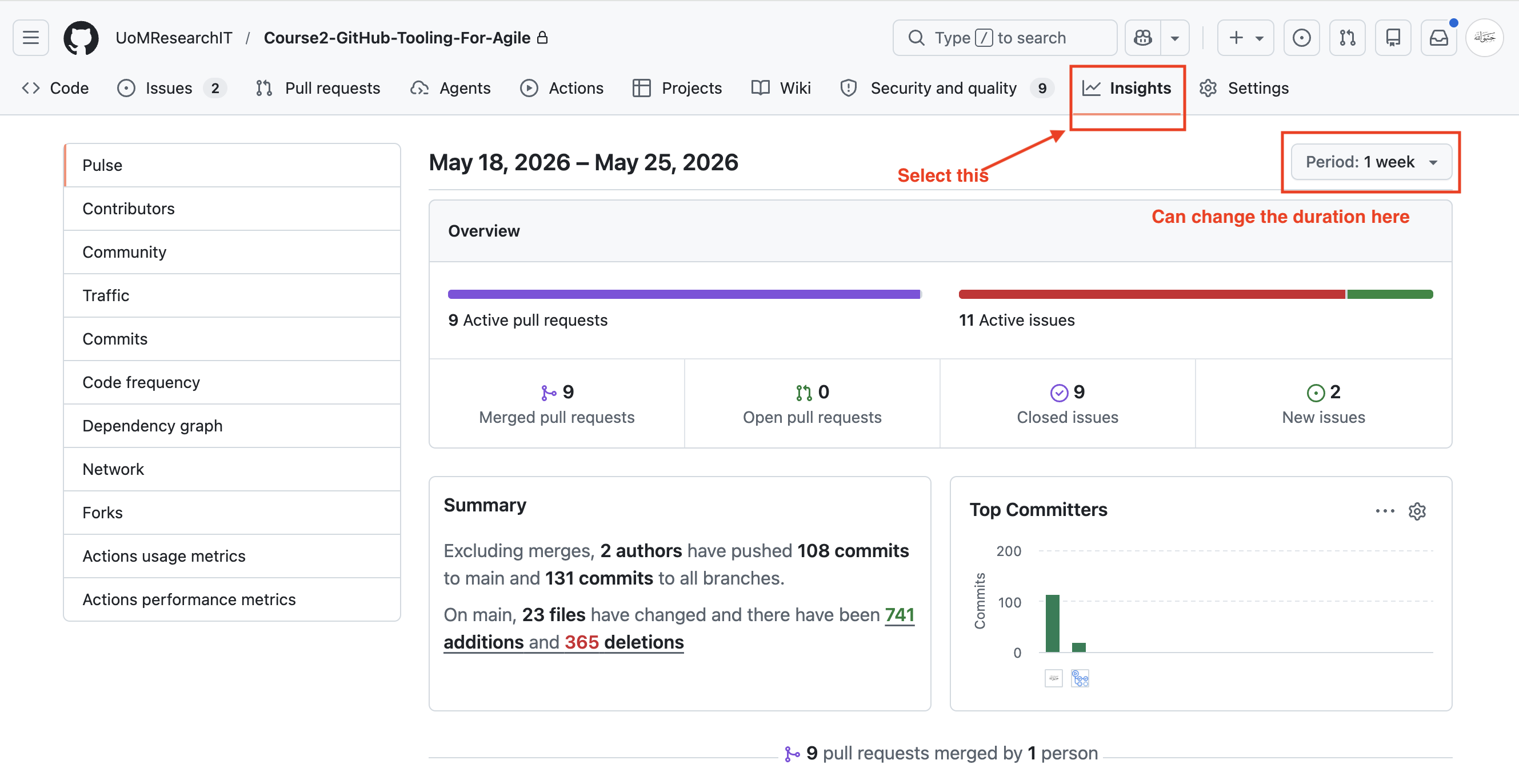
If the person acting as Scrum Master is not proficient in GitHub and does not know where sprint velocity metrics are located, please show them.
You can visit the ‘Insights’ section in the repo as shown below:
How This Information is Helpful (The “Why”)
To make this practical for participants, explain how a Scrum Master, Product Owner, or Developer would use this data:
Sprint Retrospectives: The team can look at this dashboard during a retrospective. For example, if the team feels a sprint was “bloated,” they might look here and realize they took on 11 active issues but only closed 9.
Identifying Bottlenecks: Look at the “Open Pull Requests” metric. If this number is high while “Merged” is low, it means code is getting stuck in code review. The team needs to stop taking on new work and help review open PRs.
Tracking Team Velocity: By filtering the period to match a Sprint, the team can see if their commit frequency and PR merges are consistent, or if everyone is rushing to merge code on the very last day of the sprint.
Workload Distribution: The “Top Committers” chart helps ensure work is balanced. If one person has 100 commits and everyone else has 2, the project has a high “bus factor” (siloed knowledge), and tasks need to be shared more evenly.
Smaller Projects
In research environments and smaller projects, these meetings can be relatively short and can be scheduled just prior to the Sprint Planning meetings. They can also be conducted as individual project check-ins depending on your teams ways of working.
Challenge 1: Conduct a Sprint Retrospective (6 minutes)
- As a team, get together and devise a list of what went well and what didn’t go well.
- Scrum Masters: make sure everyone is involved and gets a say and use metrics where appropriate.
- Convert this into a list of actions to be done in the next sprint.
- If you want to, possibly add improvement processes as Issues to the Backlog.
- Facilitator: Show the team the “Insights” page and explain how it is helpful to them at least once during the course (or at least in one sprint).
- Sprint Retrospective meetings are a safe space for Developers to provide feedback on ways of working and improve the process.
- Reviewing past action items ensures continuity, accountability, and progress before planning the next sprint.
- Effective retrospectives rely on facilitation, collaboration, prioritisation, and psychological safety to encourage honest reflection.